
Cross Stitch Pattern Creator
- アートデザイン
- 5.0.2
- 7.1 MB
- by Crochet Designs
- Android 8.0+
- Jun 17,2026
- パッケージ名: com.crochetdesigns.crossstitchcreator
Design custom cross-stitch patterns effortlessly.
クロスステッチのオリジナルパターンを簡単にデザインできます。
Cross Stitch Pattern Creator
クロスステッチ パターンクリエーター
Includes 4 free sample patterns. Free to download, $2.99 to unlock full features.
無料サンプルパターンが4つ含まれています。ダウンロードは無料で、全機能解锁には$2.99が必要です。
For optimal experience, we recommend using a tablet due to pattern dimensions.
最適な体験のため、パターンのサイズによりタブレットの使用を推奨します。
Craft personalized cross-stitch designs with our intuitive Pattern Creator.
直感的なパターンクリエーターで、自分だけのクロスステッチデザインを作りましょう。
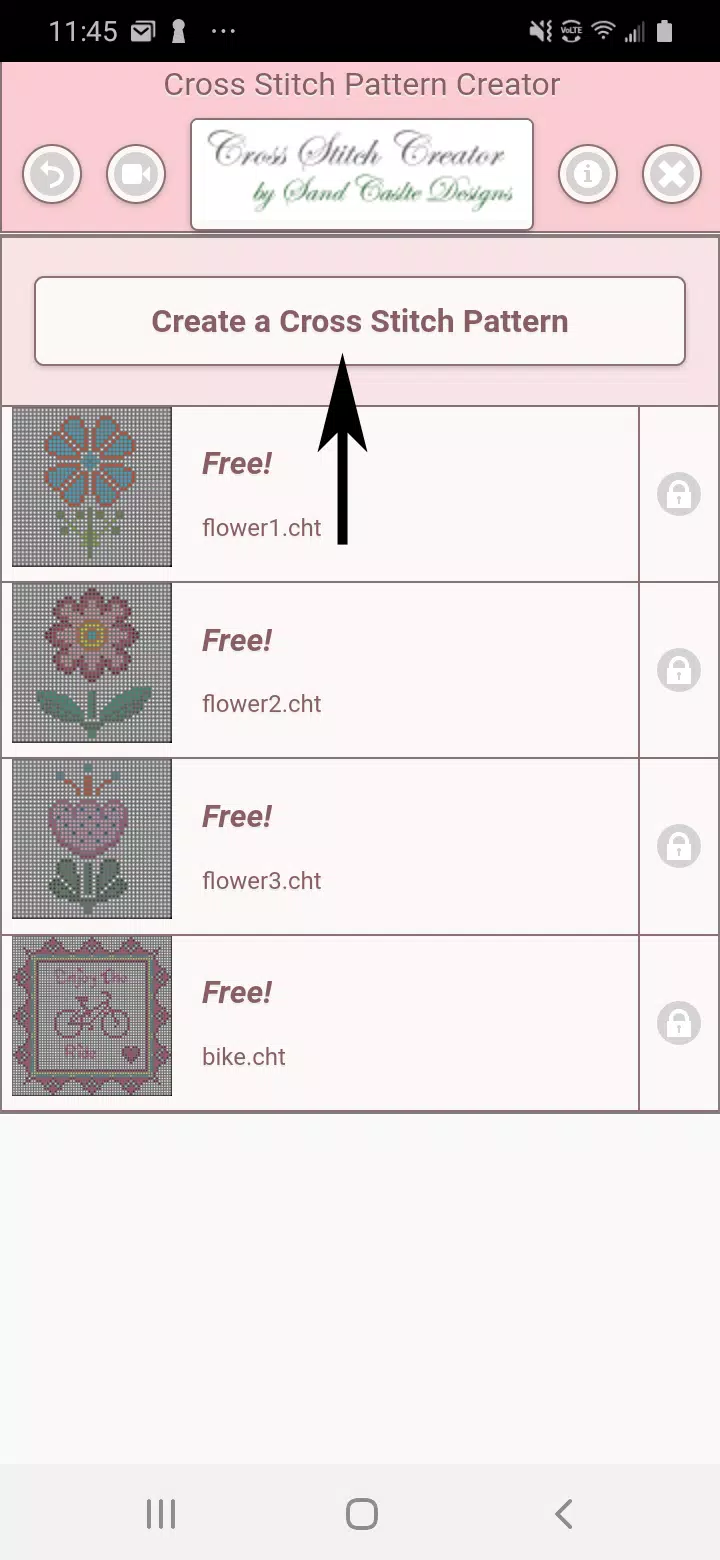
Begin by clicking the "Create a Cross Stitch Pattern" button.
「Create a Cross Stitch Pattern」ボタンをクリックして開始してください。
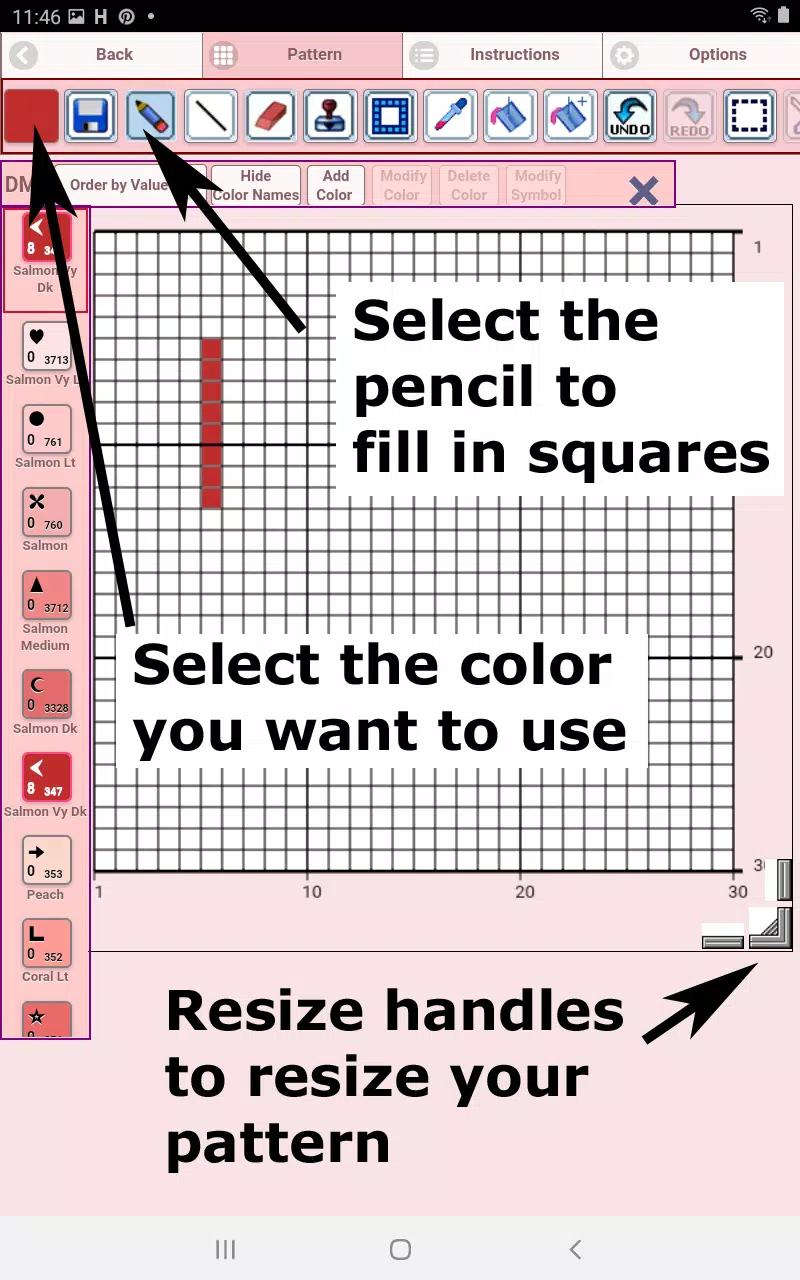
The Pattern Editor will open - simply assign DMC floss colors to each square.
パターンエディターが開きます – 各四角形にDMCの刺し子糸の色を割り当てるだけです。
Custom color addition is also supported.
カスタム色の追加にも対応しています。
Quick start guide: Use the pencil tool to mark squares and the eraser to remove marks.
クイックスタートガイド:鉛筆ツールで四角形にマークをつけ、消しゴムでマークを削除します。
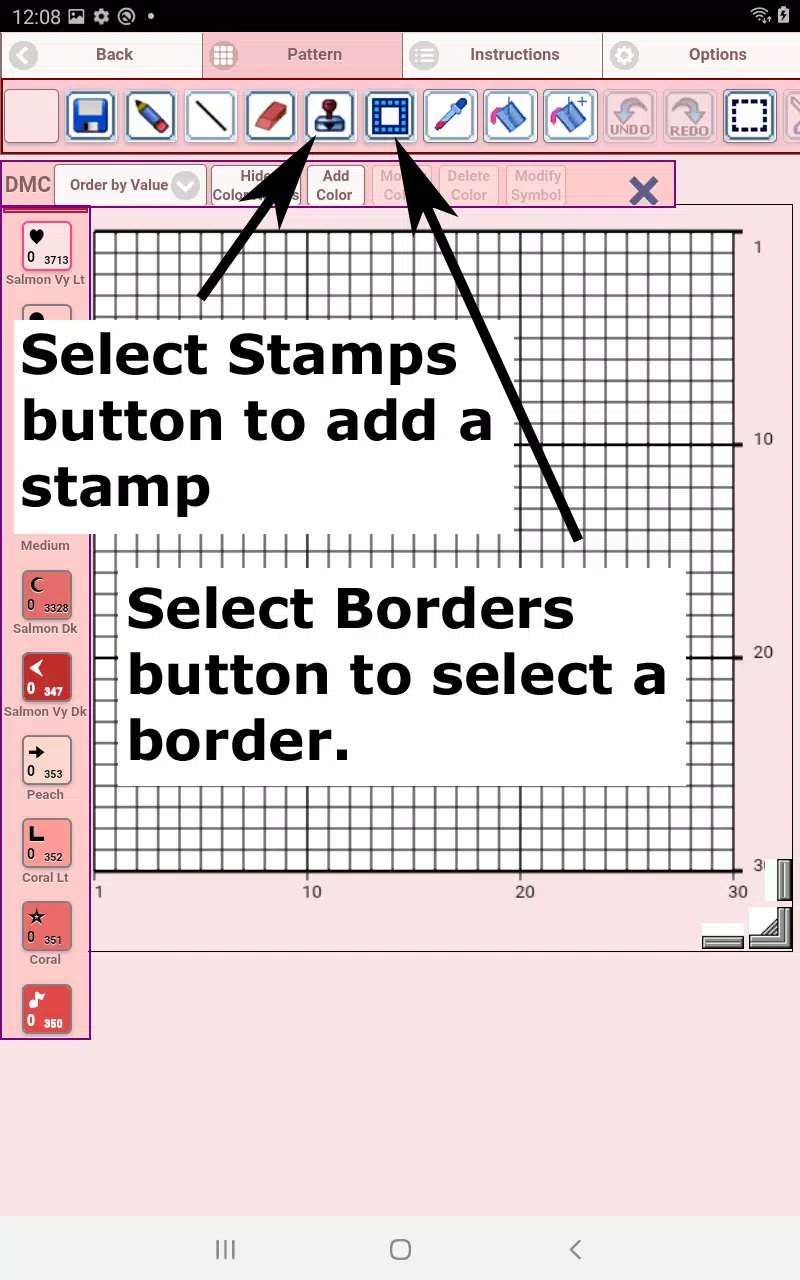
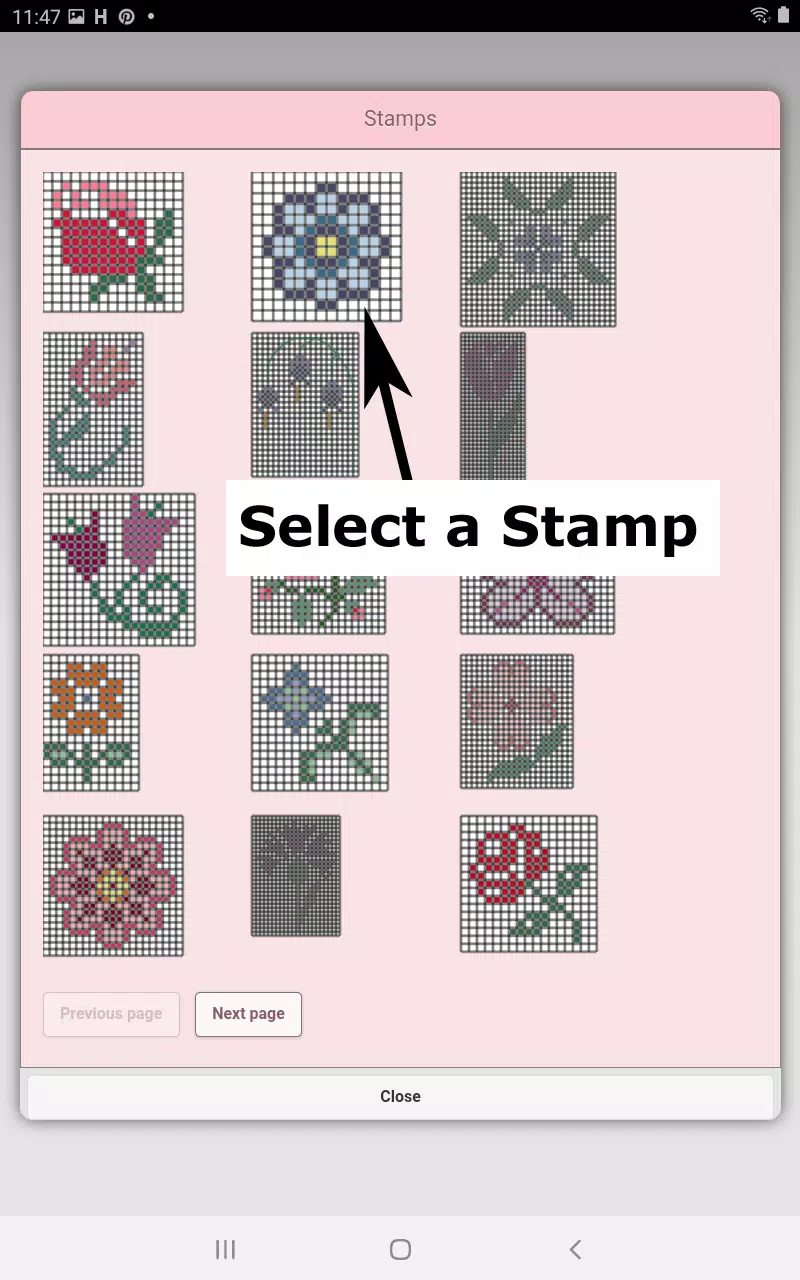
Enhance your design with 80+ decorative stamps and borders.
80種類以上のデコラティブスタンプとボーダーでデザインをアップグレードしましょう。
Toolbar functions (left to right):
ツールバーの機能(左から右へ):
DMC Floss Color selector - Choose your desired thread color
DMC刺し子糸カラーセレクター – 希望する糸の色を選択します
Save - Stores your current pattern
保存 – 現在のパターンを保存します
Pencil - Marks individual squares
鉛筆 – 個々の四角形にマークをつけます
Eraser - Removes markings and backstitch lines
消しゴム – マークやバックステッチのラインを削除します
Backstitch - First choose color, then draw guidelines
バックステッチ – まず色を選択してからガイドラインを描きます
Backstitch mover - Reposition entire backstitches
バックステッチムーバー – 全体のバックステッチの位置を変更します
Backstitch adjustment - Modify individual stitch endpoints
バックステッチ調整 – 個々のステッチの終点を変更します
Stamps - Add miniature cross-stitch motifs
スタンプ – ミニチュアクロスステッチモチーフを追加します
Borders - Automatic edge designs that adapt to your pattern
ボーダー – パターンに合わせて適応する自動のエッジデザインです
Dropper - Sample and replicate colors
スポイト – 色をサンプリングして複製します
Bucket - Flood-fill sections
バケツ – セクションを一括で塗りつぶします
Bucket+ - Color replacement tool
バケツ+ – 色の置換ツールです
Undo - Reverse recent changes
元に戻す – 最近の変更を取り消します
Redo - Restore undone actions
やり直し – 取り消したアクションを復元します
Selection box - Define areas for editing
選択ボックス – 編集する領域を定義します
Cut - Remove selected segments
切り抜き – 選択されたセグメントを削除します
Copy - Duplicate pattern sections
コピー – パターンのセクションを複製します
Paste - Insert copied elements
貼り付け – コピーした要素を挿入します
Rotate - Spin selected areas
回転 – 選択された領域を回転させます
Flip horizontal - Mirror image left/right
水平反転 – 左右に鏡像を作成します
Flip vertical - Mirror image top/bottom
垂直反転 – 上下に鏡像を作成します
Zoom in - Enlarge view
ズームイン – 表示を拡大します
Zoom out - Reduce view
ズームアウト – 表示を縮小します
Symbols - Display color identifiers
シンボル – カラー識別子を表示します
Picture - Convert images to patterns
画像 – イメージをパターンに変換します
Share - Distribute via social platforms
共有 – ソーシャルプラットフォームを通じて配布します
Resize handles - Adjust dimensions (bottom-right corner)
リサイズハンドル – 寸法を調整します(右下隅)
Options - Customize grid colors, toggle X-style fills, hide row/column counters
オプション – グリッドの色をカスタマイズし、Xスタイルの塗りつぶしの切り替えや行/列カウンターを表示・非表示にできます
Instructions - View DMC color references and Aida cloth sizing charts
説明書 – DMCカラーリファレンスとアイダ布サイズチャートを表示します
Preview - Visualize stitched results with adjustable fabric colors
プレビュー – 調整可能な生地色で刺繍の結果を視覚化します
-
NFT Creator - NFT Art Maker
-
Robbiati Daniele
-
Muslim Wedding Card Maker

-
T Shirt Design Maker – YoShirt

-
Animal and Pet Logo Maker

-
PainterSVG
-
カラーブラインドパレット

-
Learn Knitting and Crocheting
-
Mod Bus Pariwisata Full Strobo
-
MakeUp Artist
-
AR Anime Sketch: Trace & Draw
-
Sports Jersey Maker

-
Fonts & Stickers. Add text

-
Festival Studio

-
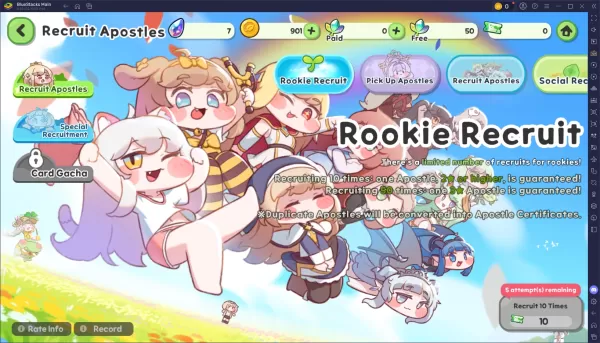 Trickcal Chibi Go – 初心者向け完結ガチャガイド
トリックキャル:チビゴにおいて、使徒の獲得はあなたの進捗の核心です。どのバナーをターゲットにするか、通貨を効果的に使用する方法、そして重複変換を理解することで、この新しいRPGでリソースを無駄にすることなく強力なロスターを構築できます。以下は、ガチャシステムの明確な解説と、召喚を最大化するためのヒントです。利用可能なバナーとそのメカニズムトリックキャルでは、それぞれが独自のルール、コスト、保証を備えた複数のバナーに出会います。これらの詳細を理解することで、いつどこで通貨を賢く使うべきかを決める手
Sep 20,2026 -
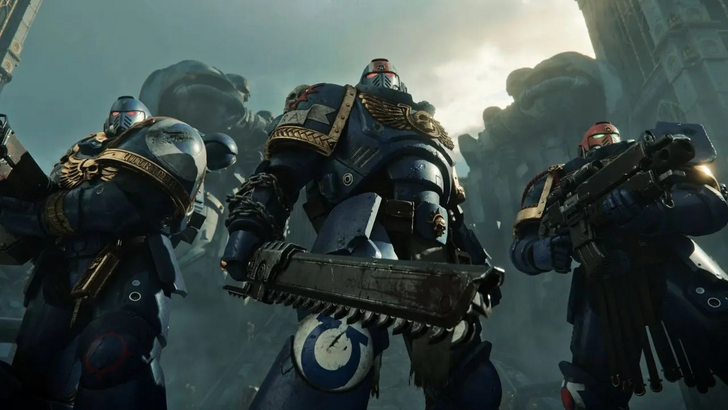 『ウォーハンマー40K:スペースマリーン2』にDRMやデヌボは不要
セイバー・インタラクティブは、『ウォーハンマー40,000: スペースマリン2』が、あらゆる形態のデジタル著作権管理(DRM)なしで発売されることを確認しました。公式リリースに近づいている本作で何が始まるのか、続きをご覧ください。ウォーハンマー40K スペースマリン2はDRM使用に「ノー」を宣言マイクロトランザクションもなし『ウォーハンマー40,000: スペースマリン2』の開発元であるセイバー・インタラクティブは、プレイヤーがゲームに没入した際に期待できる内容をまとめたFAQを最近公開しました
Sep 15,2026 - ◇ RFIDブロック機能付きメンズスリムレザーウォレットが5ドルで手に入る Sep 15,2026
- ◇ Cresty:黎明がゲームでトップ10の成績を収める Sep 14,2026
- ◇ 『Infinity Nikki』1.9「音楽の季節」アップデート、スチームバレーコラボと新機能が登場 Sep 13,2026
- ◇ 『ドンキーコング バナナ』がNintendo Switch 2で25%OFF、IGNが2025年の唯一の傑作ゲームとして絶賛 Sep 12,2026
- ◇ Microsoftは自社VRヘッドセットを作らないが、400ドルのMeta Quest 3S Xboxエディションが存在する Sep 10,2026
- ◇ 『王者栄耀』と『呪術廻戦』がコラボレーション Sep 09,2026
- ◇ pulpの有無に関わらず飲料、インフォーマルなクロスワードのヒント - Try Hard Guides Sep 09,2026
- ◇ 『ウーチ・ザ・ウェイファーラー』の発売日と時刻 Sep 08,2026
- ◇ Switch 2の価格上昇が日本のPS5の面目を保つ Sep 06,2026
- ◇ マーベル・ゲーミング・ユニバース計画発表、資金不足で中止 Sep 06,2026

](https://img.actcv.com/uploads/18/17380116246797f3e8a8a39.jpg)


- 1 サイレントヒル2リメイクはXboxを確認し、2025年にスイッチリリース Feb 08,2025
- 2 「Hostに接続できない」エラーが準備ができているかどうかを修正:クイックソリューション Jun 13,2025
- 3 ドラゴンソウルティアリスト:究極のガイド May 12,2025
- 4 2025年に最高の無料漫画本サイトとアプリ Mar 18,2025
- 5 Asus Rog Allylyをテレビに接続するか、モニター:Easy Guide Apr 06,2025
- 6 Bluestacksを使用してPCでJiohotstarを実行する方法 Feb 28,2025
- 7 アサシンの信条の影:最大レベルとランクキャップが明らかになりました Mar 27,2025
- 8 「ペルソナゲームとスピンオフ:完全な時系列リスト」 Apr 09,2025





-
人気のアーケード クラシックと新作
合計 10
-
モバイルのための中毒性のアーケードゲーム
合計 10
-
ビデオコンテンツ作成用のAndroidアプリ
合計 10









