

Cross Stitch Pattern Creator
- 藝術與設計
- 5.0.2
- 7.1 MB
- by Crochet Designs
- Android 8.0+
- Jun 17,2026
- 圍名: com.crochetdesigns.crossstitchcreator
Design custom cross-stitch patterns effortlessly.
輕鬆設計自定義十字繡圖案。
Cross Stitch Pattern Creator
十字繡圖案創作器
Includes 4 free sample patterns. Free to download, $2.99 to unlock full features.
包含4個免費示例圖案。免費下載,解鎖全部功能僅需$2.99。
For optimal experience, we recommend using a tablet due to pattern dimensions.
由於圖案尺寸較大,為獲得最佳體驗,建議使用平板電腦操作。
Craft personalized cross-stitch designs with our intuitive Pattern Creator.
使用我們直觀的“圖案創作器”打造個性化十字繡設計。
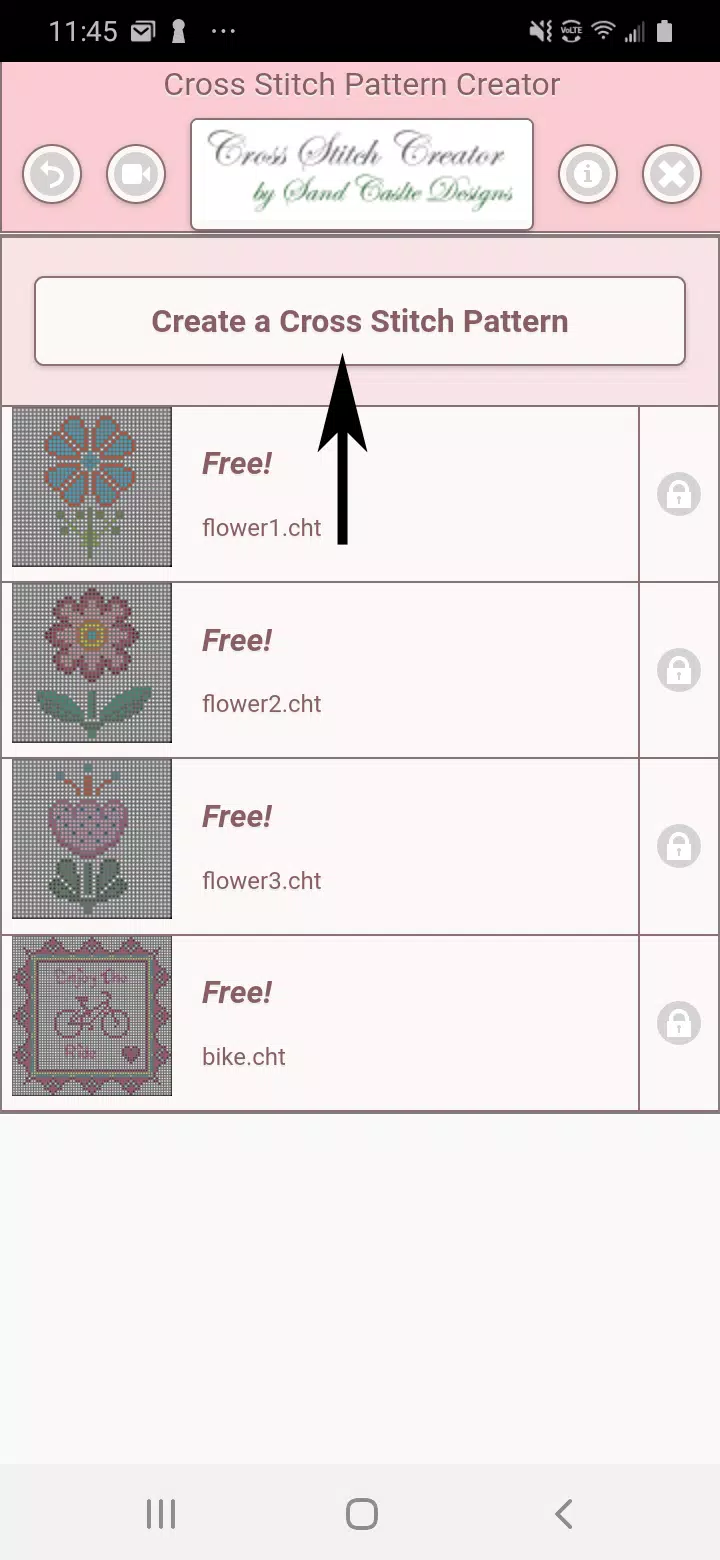
Begin by clicking the "Create a Cross Stitch Pattern" button.
首先點選“建立十字繡圖案”按鈕。
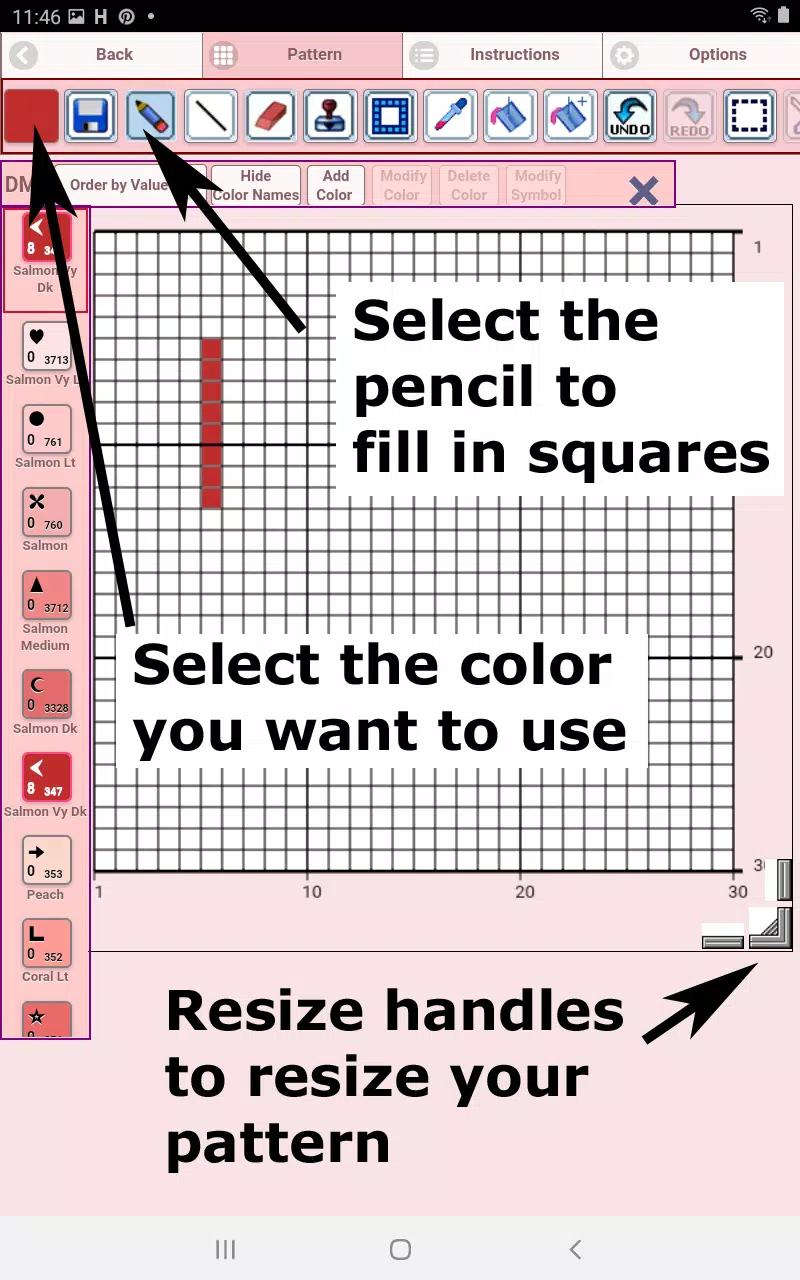
The Pattern Editor will open - simply assign DMC floss colors to each square.
將開啟“圖案編輯器”,只需為每個方格分配DMC繡線顏色即可。
Custom color addition is also supported.
支援新增自定義顏色。
Quick start guide: Use the pencil tool to mark squares and the eraser to remove marks.
快速入門指南:使用鉛筆工具標記方格,使用橡皮擦清除標記。
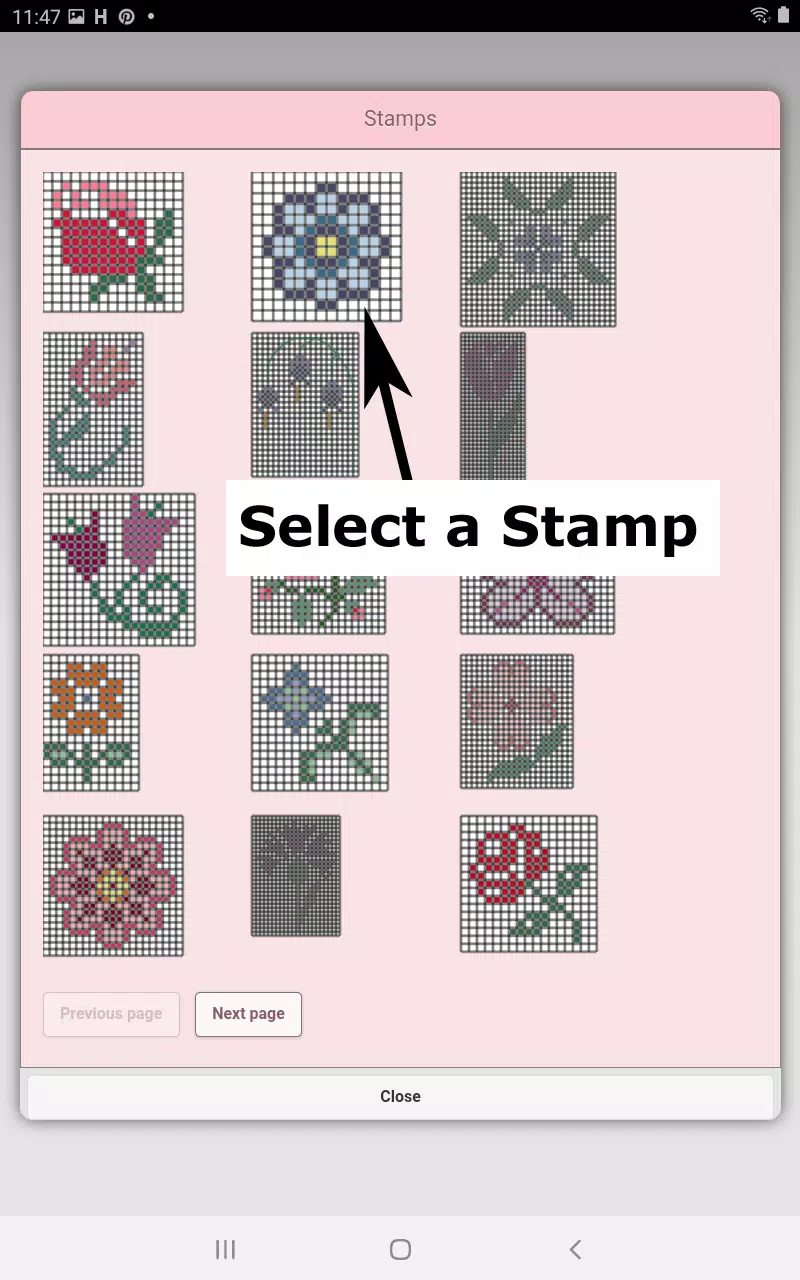
Enhance your design with 80+ decorative stamps and borders.
藉助80多種裝飾印章和邊框豐富您的設計。
Toolbar functions (left to right):
工具欄功能(從左至右):
DMC Floss Color selector - Choose your desired thread color
DMC繡線顏色選擇器——選擇您所需的線材顏色
Save - Stores your current pattern
儲存——儲存當前圖案
Pencil - Marks individual squares
鉛筆——標記單個方格
Eraser - Removes markings and backstitch lines
橡皮擦——清除標記和輪廓線
Backstitch - First choose color, then draw guidelines
輪廓繡——先選擇顏色,再繪製引導線
Backstitch mover - Reposition entire backstitches
輪廓移動工具——重新定位整個輪廓線條
Backstitch adjustment - Modify individual stitch endpoints
輪廓調整——修改單個針腳端點
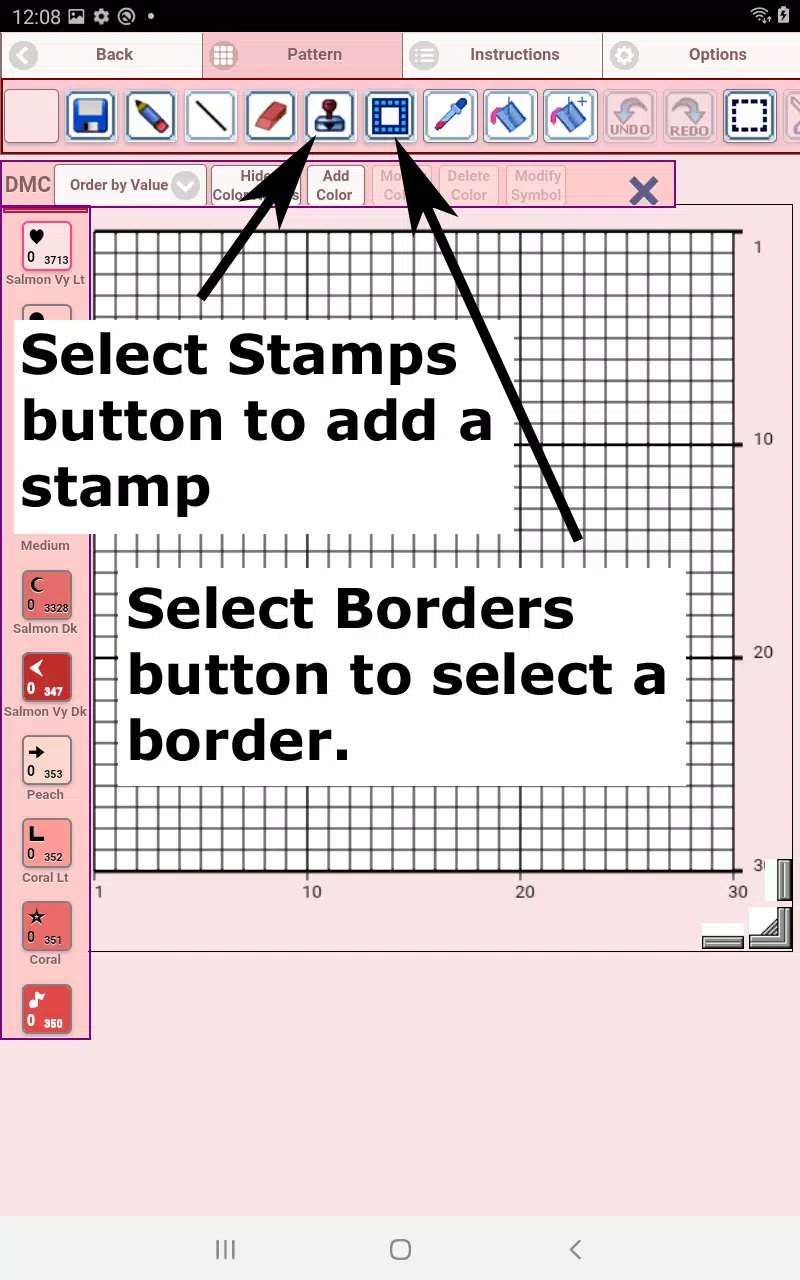
Stamps - Add miniature cross-stitch motifs
印章——新增微型十字繡圖案元素
Borders - Automatic edge designs that adapt to your pattern
邊框——自動邊緣設計,可適配您的圖案
Dropper - Sample and replicate colors
取色器——取樣並複製顏色
Bucket - Flood-fill sections
油漆桶——填充區域
Bucket+ - Color replacement tool
油漆桶+——顏色替換工具
Undo - Reverse recent changes
撤銷——還原最近更改
Redo - Restore undone actions
重做——恢復已撤消的操作
Selection box - Define areas for editing
選區框——定義編輯區域
Cut - Remove selected segments
剪下——移除選定部分
Copy - Duplicate pattern sections
複製——複製圖案片段
Paste - Insert copied elements
貼上——插入已複製的元素
Rotate - Spin selected areas
旋轉——旋轉選定區域
Flip horizontal - Mirror image left/right
水平翻轉——左右映象影象
Flip vertical - Mirror image top/bottom
垂直翻轉——上下映象影象
Zoom in - Enlarge view
放大——擴大檢視
Zoom out - Reduce view
縮小——減小檢視
Symbols - Display color identifiers
符號顯示——展示顏色識別符號
Picture - Convert images to patterns
圖片轉換——將影象轉換為圖案
Share - Distribute via social platforms
分享——透過社交平臺分發
Resize handles - Adjust dimensions (bottom-right corner)
調整大小手柄——調節尺寸(右下角)
Options - Customize grid colors, toggle X-style fills, hide row/column counters
選項——自定義網格顏色,切換X形填充樣式,隱藏行/列計數器
Instructions - View DMC color references and Aida cloth sizing charts
說明文件——檢視DMC色號參考及Aida繡布尺寸表
Preview - Visualize stitched results with adjustable fabric colors
預覽——使用可調布料顏色視覺化刺繡效果
-
Thumbnail Maker - Channel Art

-
Try Outfits AI: Change Clothes

-
Battle Royale Wallpaper Maker

-
Fun Draw: A doodling and a dra

-
Draw With Me
-
Star Stable Online Wallpapers

-
Mens Fashion Design Ideas

-
Reali-T-Shirt

-
Stable Diffusion generation AI

-
Bharat Poster: Diwali Status

-
Online Neta Political Design

-
AI Art - AI Image Generator

-
Face Swap Magic

-
Gujarati Engagement Card Maker

-
 Trickcal Chibi Go - 新手完全抽卡指南
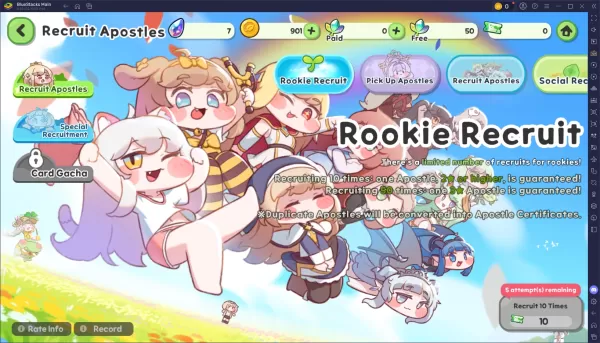
在Trickcal: Chibi Go中,招募使徒是你成長旅程的核心。瞭解應關注哪些卡池、如何有效使用貨幣以及理解重複轉換機制,能確保你在新RPG中構建強大的陣容而不浪費資源。以下是抽卡系統的清晰解析及最大化召喚次數的技巧。可用卡池及其機制在Trickcal中,你將遇到幾種不同的卡池,每個卡池都有獨特的規則、費用和保底機制。掌握這些細節有助於你決定何時何地明智地消耗貨幣。以下是主要卡池:新手招募精選使徒卡池 標準(永久) 使徒特別招募(付費階梯) 社交招募(樹葉點數)務必利用標準卡池和精選卡池中
Sep 20,2026 -
 《戰錘40K:星際戰士2》無需DRM或Denuvo
Saber Interactive已確認,《戰錘40,000:星際戰士2》將在沒有任何形式的數字版權管理(DRM)的情況下發售。請繼續閱讀,瞭解隨著遊戲正式發售日期的臨近,遊戲中有哪些內容值得期待!戰錘40K:星際戰士2對使用DRM說“不”也沒有微交易《戰錘40,000:星際戰士2》的開發公司Saber Interactive最近釋出了一份常見問題解答(FAQ),概述了玩家進入遊戲後可能體驗到的內容。隨著9月9日發售日期的臨近,Saber Interactive明確表示,這款即將推出的砍殺射擊遊
Sep 15,2026 - ◇ 僅需5美元即可入手一款RFID防磁男士 slim 皮革錢包 Sep 15,2026
- ◇ Cresty:黎明承諾在遊戲中的前10分鐘 Sep 14,2026
- ◇ 無限暖暖1.9版本:音樂季上線,搭配星露穀物語聯動及新功能 Sep 13,2026
- ◇ 任天堂Switch 2版《大金剛Bananza》立享75折,IGN稱其為2025年唯一傑作 Sep 12,2026
- ◇ 微軟不造自己的VR頭顯,但400美元的Meta Quest 3S Xbox版來了 Sep 10,2026
- ◇ 《王者榮耀》攜手《咒術回戰》 Sep 09,2026
- ◇ 有果肉或無果肉的飲料,非正式說法 - 十字謎題線索 - 努力指南 Sep 09,2026
- ◇ 《烏奇:流浪者》上映日期與時間 Sep 08,2026
- ◇ 任天堂Switch 2漲價令PS5在日本市場“鬆了一口氣” Sep 06,2026
- ◇ 漫威遊戲宇宙計劃公佈,因資金不足被擱置 Sep 06,2026

](https://img.actcv.com/uploads/18/17380116246797f3e8a8a39.jpg)


- 1 Silent Hill 2翻拍確認Xbox,轉換在2025年 Feb 08,2025
- 2 修復“無法連接到主機”錯誤是否準備就緒:快速解決方案 Jun 13,2025
- 3 Dragon Soul Tier列表:終極指南 May 12,2025
- 4 2025年最好的免費漫畫網站和應用 Mar 18,2025
- 5 將華碩ROG盟友連接到電視或監視器:輕鬆指南 Apr 06,2025
- 6 如何使用Bluestacks在PC上運行JioHotstar Feb 28,2025
- 7 刺客的信條陰影:最大級別和排名帽揭示了 Mar 27,2025
- 8 “角色遊戲和分拆:完整的時間順序列表” Apr 09,2025














