
Experience Draconia Saga Enhanced with BlueStacks
Experience Draconia Saga like never before with BlueStacks! This guide details how BlueStacks' powerful features – Keymapping, Multi-Instance, and Macro Recorder – can transform your RPG gameplay. Unlock superior control, efficiency, and multitasking to fully immerse yourself in Arcadia.
Mastering Keymapping for Superior Control
Precise controls are vital in Draconia Saga's action-packed combat. BlueStacks' Keymapping lets you ditch touchscreen controls for mouse and keyboard precision. This translates to superior character movement and attack execution, enabling effortless dodging of enemy attacks and strategic outmaneuvering of opponents. This is especially beneficial when navigating the game's frequent area-of-effect attacks.
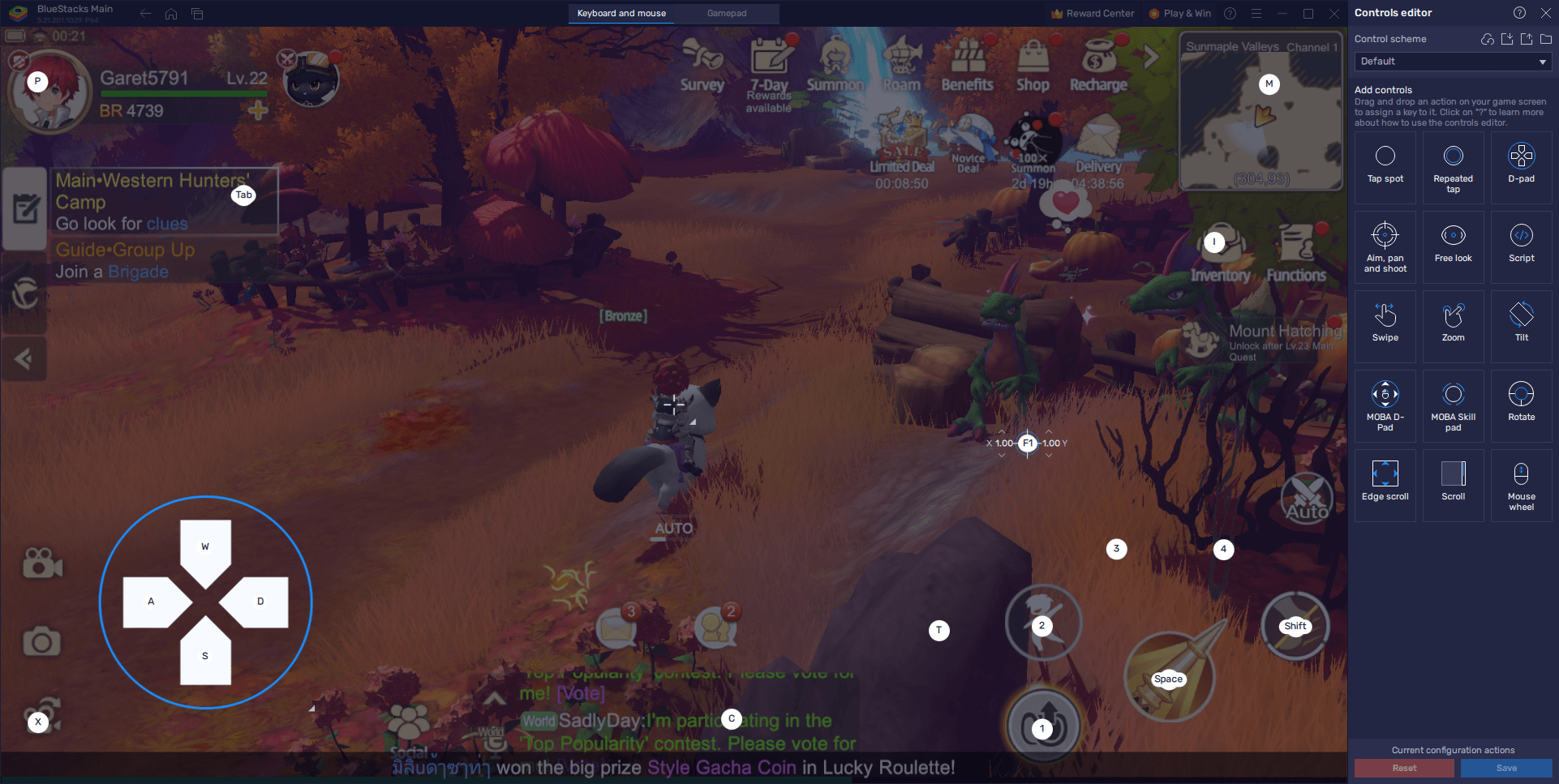
BlueStacks offers a suite of tools to elevate your Draconia Saga experience. Keymapping provides unparalleled control, while maximizing visual settings guarantees optimal graphics and frame rates. The Macro Recorder automates repetitive tasks, freeing you to focus on the most engaging aspects of the game. Follow these tips for a smooth and immersive journey through Arcadia. Play Draconia Saga on your PC or laptop with BlueStacks today!








![Roblox Forsaken Characters Tier List [UPDATED] (2025)](https://img.actcv.com/uploads/18/17380116246797f3e8a8a39.jpg)


- 1 Silent Hill 2 Remake Confirms Xbox, Switch Release in 2025 Feb 08,2025
- 2 Connect Asus ROG Ally to TV or Monitor: Easy Guide Apr 06,2025
- 3 Fix 'Can't Connect to Host' Error in Ready or Not: Quick Solutions Jun 13,2025
- 4 Dragon Soul Tier List: Ultimate Guide May 12,2025
- 5 The Best Free Comic Book Sites and Apps in 2025 Mar 18,2025
- 6 "Persona Games and Spin-Offs: Complete Chronological List" Apr 09,2025
- 7 How to Run JioHotstar on PC with BlueStacks Feb 28,2025
- 8 Assassin's Creed Shadows: Max Level and Rank Cap Revealed Mar 27,2025





-
Top Arcade Classics and New Hits
A total of 10
-
Addictive Arcade Games for Mobile
A total of 10
-
Android Apps for Video Content Creation
A total of 10









