
Marvel Rivals Timestream Error Fix Guide
Few games bring people together like Marvel Rivals. Players eagerly log in daily, making game-breaking errors especially frustrating. Here's how to fix the "Igniting the Timestream" error in Marvel Rivals.
What Is the Igniting the Timestream Error in Marvel Rivals?
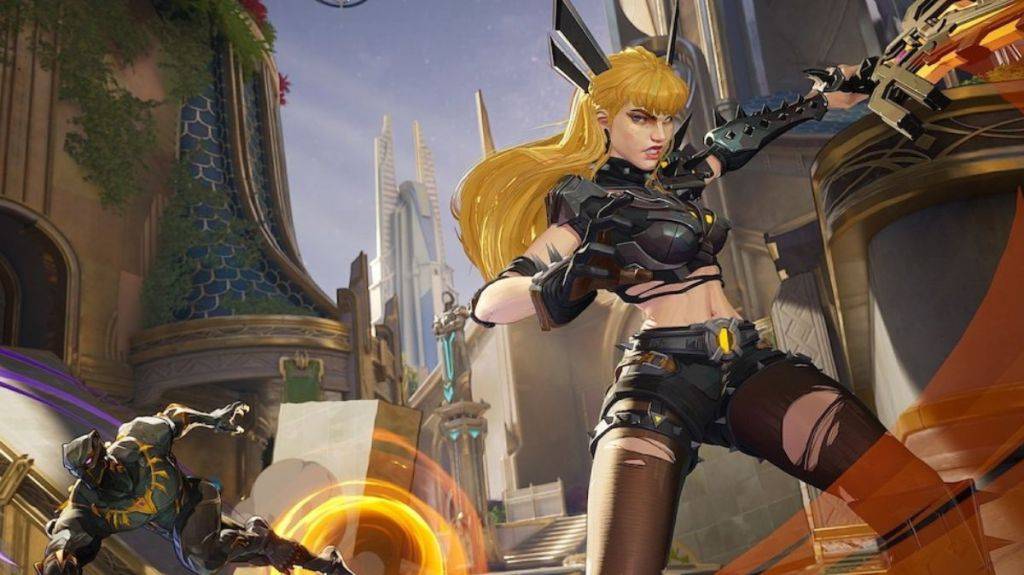
Unlike errors that prevent the game from launching, the "Igniting the Timestream" message appears during matchmaking. After you click to start a match, a pop-up screen appears with this message, potentially leaving you stuck for minutes. Fortunately, you can try several solutions to resolve it.
How To Fix the Igniting the Timestream Error in Marvel Rivals
Check Server Status Marvel Rivals maintains an active social media presence. The game's official X account provides regular updates, including server issues. If social media is quiet, check Downdetector to see if the game is experiencing widespread problems. Restart the Game If you repeatedly encounter the Igniting the Timestream error in Marvel Rivals, try closing and restarting the game. While not a guaranteed fix, it can sometimes bypass the error and allow you to join a match.
Related: All Marvel Rivals Ultimate Voice Lines & What They Mean
Check Internet Connection Marvel Rivals requires a stable internet connection as it lacks an offline mode. If matchmaking fails, try rebooting your modem or router. This short wait is better than staring at the screen hoping the issue resolves itself. Take a Break Sometimes, battling persistent errors is a losing fight. Stepping away while developers work on a fix is a reasonable option, especially if you have other games to play. You can check back periodically for a permanent solution.
This covers how to fix the Igniting the Timestream error in Marvel Rivals.
Marvel Rivals is available now on PS5, PC, and Xbox Series X|S.




![Roblox Forsaken Characters Tier List [UPDATED] (2025)](https://img.actcv.com/uploads/18/17380116246797f3e8a8a39.jpg)


- 1 Silent Hill 2 Remake Confirms Xbox, Switch Release in 2025 Feb 08,2025
- 2 Fix 'Can't Connect to Host' Error in Ready or Not: Quick Solutions Jun 13,2025
- 3 Dragon Soul Tier List: Ultimate Guide May 12,2025
- 4 The Best Free Comic Book Sites and Apps in 2025 Mar 18,2025
- 5 Connect Asus ROG Ally to TV or Monitor: Easy Guide Apr 06,2025
- 6 How to Run JioHotstar on PC with BlueStacks Feb 28,2025
- 7 Assassin's Creed Shadows: Max Level and Rank Cap Revealed Mar 27,2025
- 8 "Persona Games and Spin-Offs: Complete Chronological List" Apr 09,2025





-
Top Arcade Classics and New Hits
A total of 10
-
Addictive Arcade Games for Mobile
A total of 10
-
Android Apps for Video Content Creation
A total of 10









