
Jujutsu Infinite: How To Enable Innate Techniques
Quick Links
- How To Unlock Innate Techniques In Jujutsu Infinite
- How To Enable Innate Techniques In Jujutsu Infinite
Innate techniques are crucial abilities in Roblox's Jujutsu Infinite, leveraging cursed energy to vanquish foes. These techniques range in rarity from Common to Special Grade.
Players can equip a maximum of two innate techniques simultaneously, unless they possess the Premium Game Pass, granting access to four slots. Unlocking and enabling these abilities can initially prove challenging. This guide provides a step-by-step walkthrough.
How To Unlock Innate Techniques In Jujutsu Infinite
 To utilize innate techniques, you must first unlock them. Navigate to the "Customize" section and locate the "Spin" icon within the "Innates" tab. The game will randomly assign one of nineteen techniques. Repeat this process to fill your second slot.
Players dissatisfied with their initial techniques can re-spin for potentially higher-tier abilities. Sufficient spins are earned through daily missions, code redemption, AFK farming, and other methods.
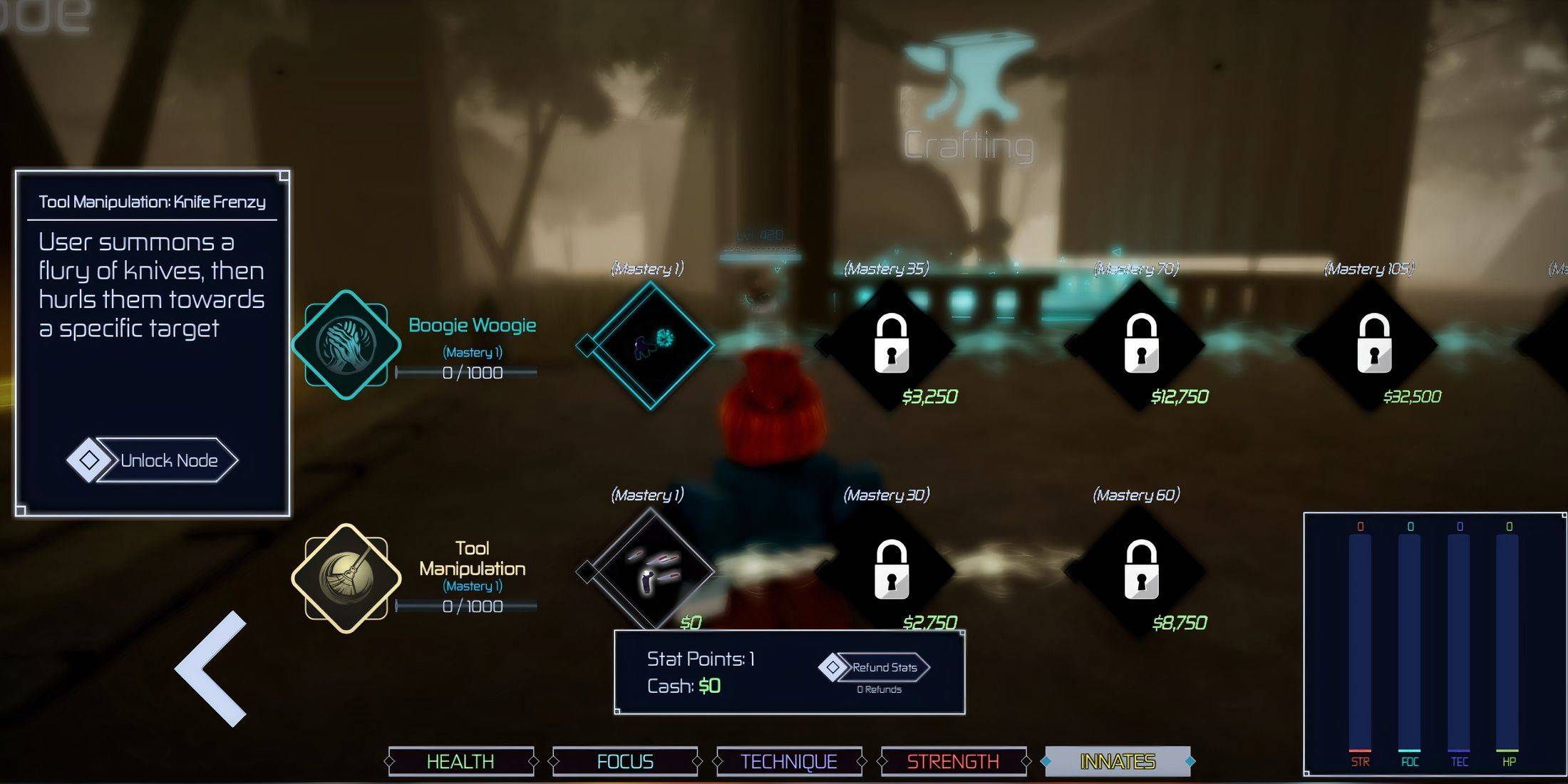
After selecting your techniques, unlock their nodes. Access the "Stats" icon (top of screen, or bottom-left on PC), then navigate to the "Innates" button. Click the "Mastery 1" icon beside your chosen technique. An unlock node button will appear; click to activate the ability. Repeat for your second technique.
How To Enable Innate Techniques In Jujutsu Infinite
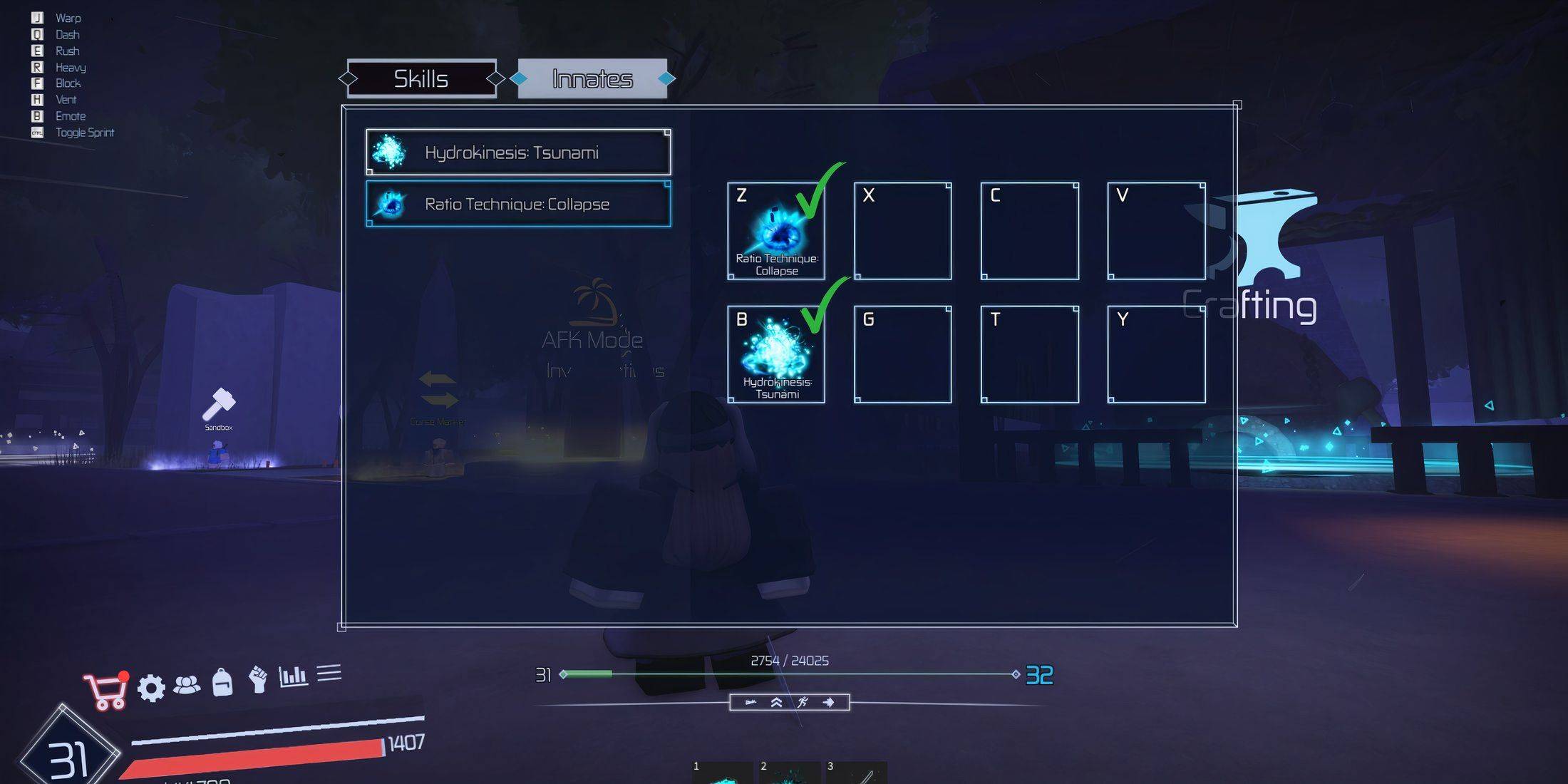 With your innate techniques unlocked, enable them within Jujutsu Infinite. To activate your cursed abilities:
- Tap the fist-shaped "Skills" icon near the "Stats" icon.
- Access the "Innates" section; a pop-up window displays available techniques.
- Assign each ability to an empty slot (there are eight available).
- Repeat for all desired techniques.
Your innate techniques are now ready for use. Activate them in-game by clicking the glowing blue orb at the bottom-center of the screen. Select your desired ability to unleash its power.









![Roblox Forsaken Characters Tier List [UPDATED] (2025)](https://img.actcv.com/uploads/18/17380116246797f3e8a8a39.jpg)


- 1 Silent Hill 2 Remake Confirms Xbox, Switch Release in 2025 Feb 08,2025
- 2 Connect Asus ROG Ally to TV or Monitor: Easy Guide Apr 06,2025
- 3 Fix 'Can't Connect to Host' Error in Ready or Not: Quick Solutions Jun 13,2025
- 4 The Best Free Comic Book Sites and Apps in 2025 Mar 18,2025
- 5 Dragon Soul Tier List: Ultimate Guide May 12,2025
- 6 "Persona Games and Spin-Offs: Complete Chronological List" Apr 09,2025
- 7 How to Run JioHotstar on PC with BlueStacks Feb 28,2025
- 8 Assassin's Creed Shadows: Max Level and Rank Cap Revealed Mar 27,2025





-
Top Arcade Classics and New Hits
A total of 10
-
Addictive Arcade Games for Mobile
A total of 10
-
Android Apps for Video Content Creation
A total of 10









