
bimmer-tool Lite
- Auto & Vehicles
- 3.7.6
- 10.5 MB
- by bimmer-tool
- Android 4.2+
- May 10,2026
- Package Name: pl.pw.btool.lite
Clear fault codes and perform DPF health checks for BMW vehicles.
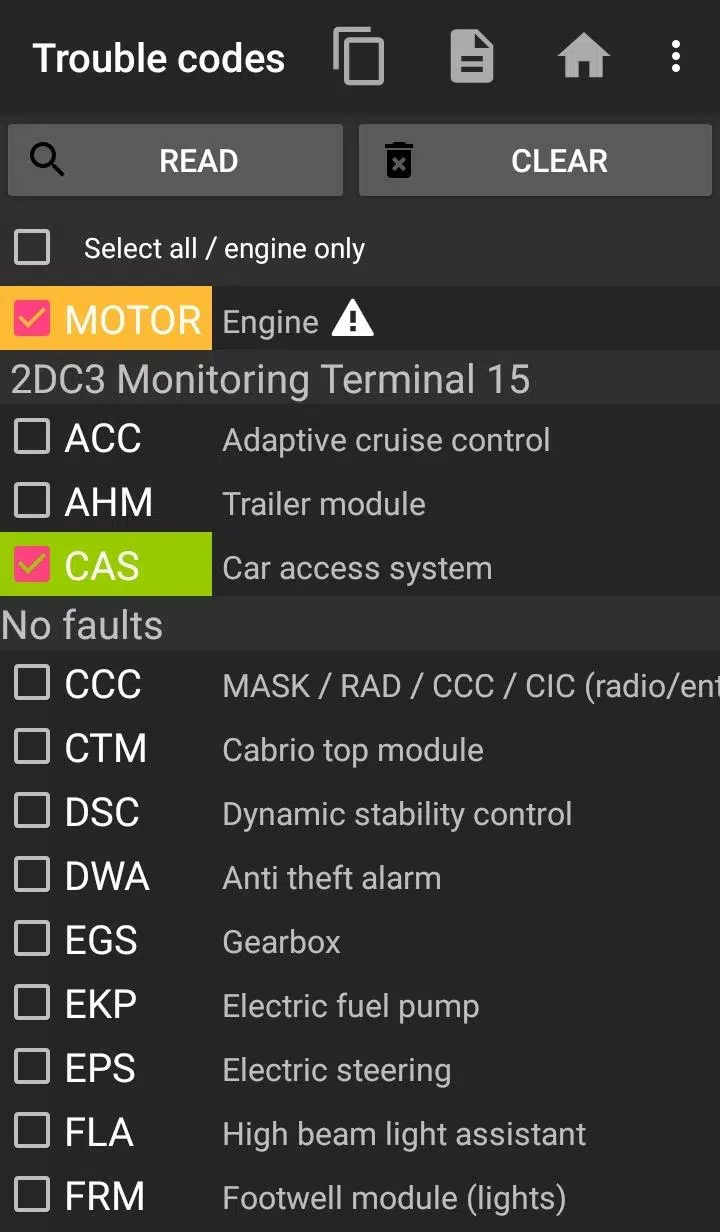
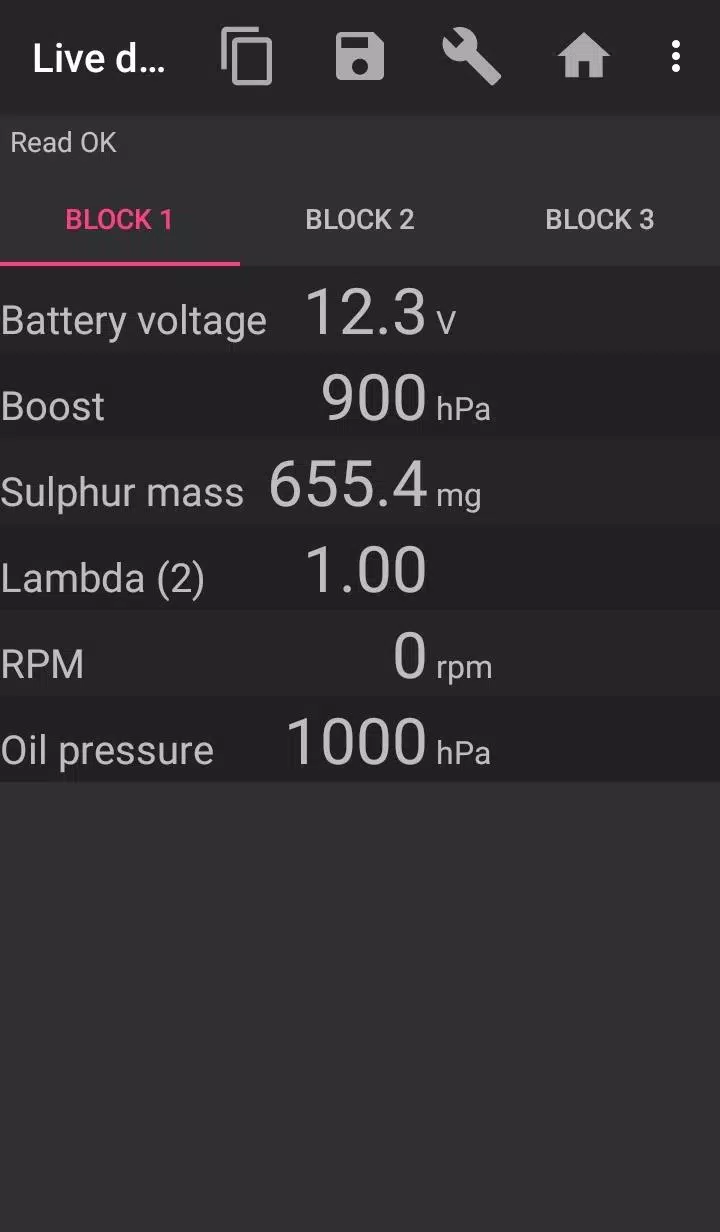
Bimmer-Tool enables you to read and clear diagnostic trouble codes, initiate DPF regeneration, access live engine data, and perform many other functions for your BMW.
For vehicles older than model year 2008, application functionality is limited, and a K+DCan USB cable connection is strongly recommended. Wireless connections using an ELM adapter with pre-2008 models may not work or may offer limited features.
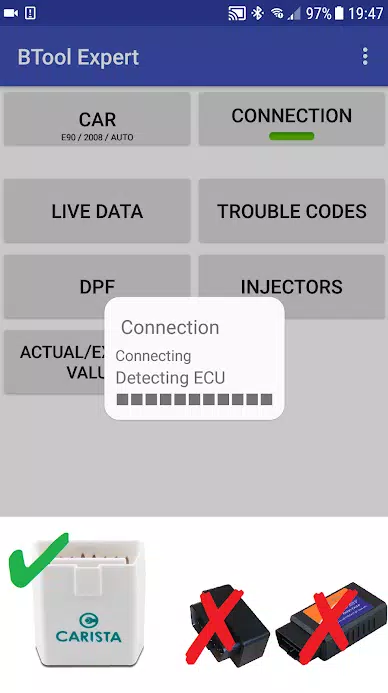
Important: This application requires a dependable OBD2 adapter. We recommend using a K+DCan cable, an ENET adapter (for F/G series), or one of the following Bluetooth adapters:
- Vgate vLinker MC/FS/BM/FD https://www.vgatemall.com/products/
- UniCarScan UCSI-2000/USCI-2100: Use setting: D-Can mode: MODE2 https://www.wgsoft.de/shop/obd-2-komplettsysteme/unicarscan/114/unicarscan-ucsi-2000-diagnoseadapter
https://www.bmdiag.co.uk/unicarscan-ucsi-2000-bluetooth-obd2-adapter
- Carista https://caristaapp.com/adapter
- Veepeak OBDCheck BLE https://www.veepeak.com/product/obdcheck-ble
Application features include:
- Reading DPF regeneration status and detailed information
- Requesting a DPF regeneration cycle
- Resetting DPF adaptation values (necessary after filter replacement)
- Reading exhaust pressure sensor data
- Reading fuel injector adjustment values
- Reading actual and target values for air mass, intake manifold pressure, and fuel pressure
- Logging data to a CSV file for detailed analysis
- Registering a battery replacement (without altering battery specifications)
- Resetting lamp circuits blocked by a short-circuit fault
- Resetting oil and brake service intervals**
Supported OBD Adapters
- K+D-Can USB Cable: This is the recommended, most reliable adapter. You will also need a USB-OTG cable.
- ENET Cable / Wifi Adapter: Recommended for F & G series. For an ENET cable connection, you additionally need a USB-C to Ethernet adapter.
- ELM327 Bluetooth: Bluetooth connections may be slower than USB. Only genuine ELM327 or PIC18-based adapters will work, and they may be incompatible with older engines. See more info below.
- ELM327 WiFi: Similar to Bluetooth, WiFi connections can be less stable. On some devices, you must disable mobile data to use the WiFi adapter.
If you have questions or need assistance, please email us. You can find our contact address at the bottom of this page.
Quick Start Guide
1) Plug your adapter into the vehicle's OBD II port.
2) Turn the ignition to the ON position.
3) Connect the adapter to your phone:
* USB: Connect the adapter to your phone using a USB-OTG cable. Your phone will prompt you to choose an app—select Bimmer-Tool.
* Bluetooth: Go to your phone's Bluetooth settings. Search for nearby devices and pair with the adapter (PIN is typically 0000 or 1234).
* WiFi: Disable mobile data. Turn on WiFi and search for available networks. Connect your phone to the adapter's WiFi network.
4) Launch the app, navigate to the 'Car' section, and select your model and year.
5) Go to 'Connection', and select the connection type, adapter model, and communication protocol.
6) Tap the 'Connect' button.
**Limitations:
For models older than 2008 and for E46/E39/E83/E53 series, the app requires a K+DCan cable connection, and only the engine ECU is accessible. Connecting via a wireless ELM adapter is likely not possible.
Common Problems
- 'No response' engine error in cars up to 2007 with a Bluetooth/WiFi adapter. If this error occurs intermittently, try enabling the ATWM option in the advanced connection settings.
- No connection: If your adapter and protocol settings are correct but the app still cannot connect to the car, try force-stopping all diagnostic apps (including Bimmer-Tool) in your phone's application manager, or restart your phone and attempt the connection again.
Why does this app require permissions?
- Storage: Required for USB adapter support
- Photos / Media / Files: Allows the creation of CSV log files
- Pair with Bluetooth devices / Access Bluetooth settings: Required for Bluetooth adapter support
- Full network access: Required for WiFi adapter support
- Approximate location: While Bluetooth can theoretically be used to determine approximate location, this app does not read or use location data.
What's New in the Latest Version 3.7.6-L
Last updated on Nov 10, 2024
Diesel idle speed adjustment
Throttle body control









-
 Shin Chan: Shiro & Coal Town Hits Crunchyroll Game Vault
Shin Chan: Shiro & the Coal Town is now available on Android via the Crunchyroll Game Vault. This charming slice-of-life adventure first launched in Japan for Nintendo Switch in February 2024, followed by a global release on Switch and PC in October
Sep 21,2026 -
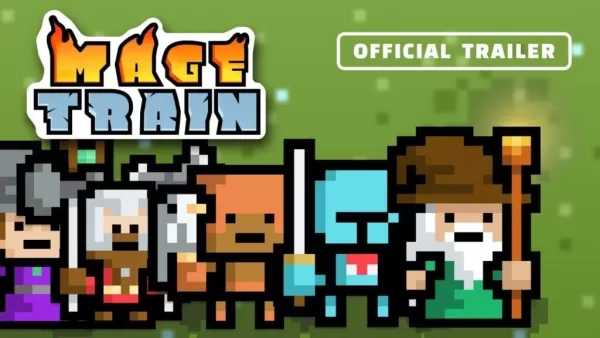 MageTrain: Roguelike Pixel Art Game Hits Android
Tidepool Games has just launched a fast-paced pixel-art "snakelike" roguelike for Android, titled MageTrain. If you've enjoyed Nimble Quest before, you'll definitely notice some similarities — in fact, the new game draws significant inspiration from
Sep 21,2026 - ◇ Trickcal Chibi Go – Complete Gacha Guide for Beginners Sep 20,2026
- ◇ Warhammer 40K Space Marine 2: No DRM or Denuvo Required Sep 15,2026
- ◇ Score an RFID Blocking Men's Slim Leather Wallet for $5 Sep 15,2026
- ◇ Cresty: Dawn Pledges Top 10 Minutes in Gaming Sep 14,2026
- ◇ Infinity Nikki 1.9: Music Season arrives alongside Stardew Valley collab and new features Sep 13,2026
- ◇ Save 25% Off Donkey Kong Bananza for Nintendo Switch 2, Still IGN's Only Masterpiece Game of 2025 Sep 12,2026
- ◇ Microsoft Isn’t Making Its Own VR Headset, but There Is the $400 Meta Quest 3S Xbox Edition Sep 10,2026
- ◇ Honor of Kings Joins Forces with Jujutsu Kaisen Sep 09,2026
- ◇ Beverages with or without pulp, informally Crossword Clue - Try Hard Guides Sep 09,2026
- ◇ Woochi the Wayfarer Release Date and Time Sep 08,2026

![Roblox Forsaken Characters Tier List [UPDATED] (2025)](https://img.actcv.com/uploads/18/17380116246797f3e8a8a39.jpg)


- 1 Silent Hill 2 Remake Confirms Xbox, Switch Release in 2025 Feb 08,2025
- 2 Fix 'Can't Connect to Host' Error in Ready or Not: Quick Solutions Jun 13,2025
- 3 Dragon Soul Tier List: Ultimate Guide May 12,2025
- 4 The Best Free Comic Book Sites and Apps in 2025 Mar 18,2025
- 5 Connect Asus ROG Ally to TV or Monitor: Easy Guide Apr 06,2025
- 6 How to Run JioHotstar on PC with BlueStacks Feb 28,2025
- 7 Assassin's Creed Shadows: Max Level and Rank Cap Revealed Mar 27,2025
- 8 "Persona Games and Spin-Offs: Complete Chronological List" Apr 09,2025





-
Top Arcade Classics and New Hits
A total of 10
-
Addictive Arcade Games for Mobile
A total of 10
-
Android Apps for Video Content Creation
A total of 10









